
CAIRA Surgical
ABOUT OUR PROJECT
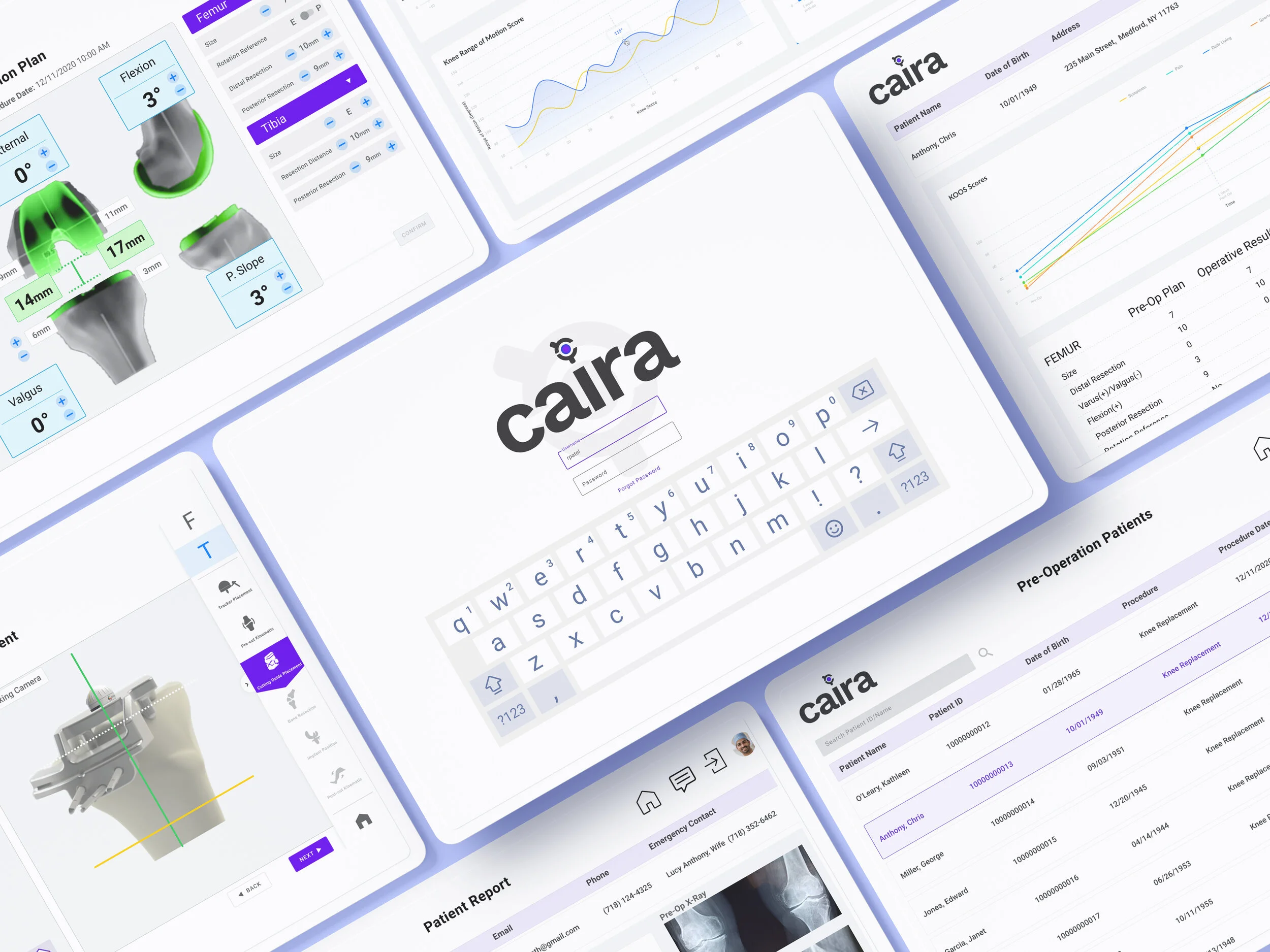
Joint replacement innovation has been slow, inefficient and costly. In response to these challenges, CAIRA, a medical startup in New York has created a proprietary surgical navigation system to usher orthopedic surgeons from beginning to end of knee replacement surgery.
Our team of five UX consultants from the Center for Digital Experiences at Pratt Institute partnered with the medical startup to conduct two Moderated Remote User Tests. This method allows us to uncover the usability problems found on their current prototype and provide feasible recommendations to make their prototype as development-ready as possible.
MY ROLE
Our team worked collaboratively to submit complete user flows and a high-fidelity prototype as our final products.
My roles included:
Creating a detailed project plan
Note-taking for one virtual user test and writing personas
Analyzing and consolidating usability problems
Creating mid-fidelity and high-fidelity prototype screens for pre-op planning and surgical trends
Creating and presenting final presentation deck
TEAM MEMBERS
Xi Chen
Katelyn Mirabelli
Meera Nathan
Sofia Ni
PROJECT PATH
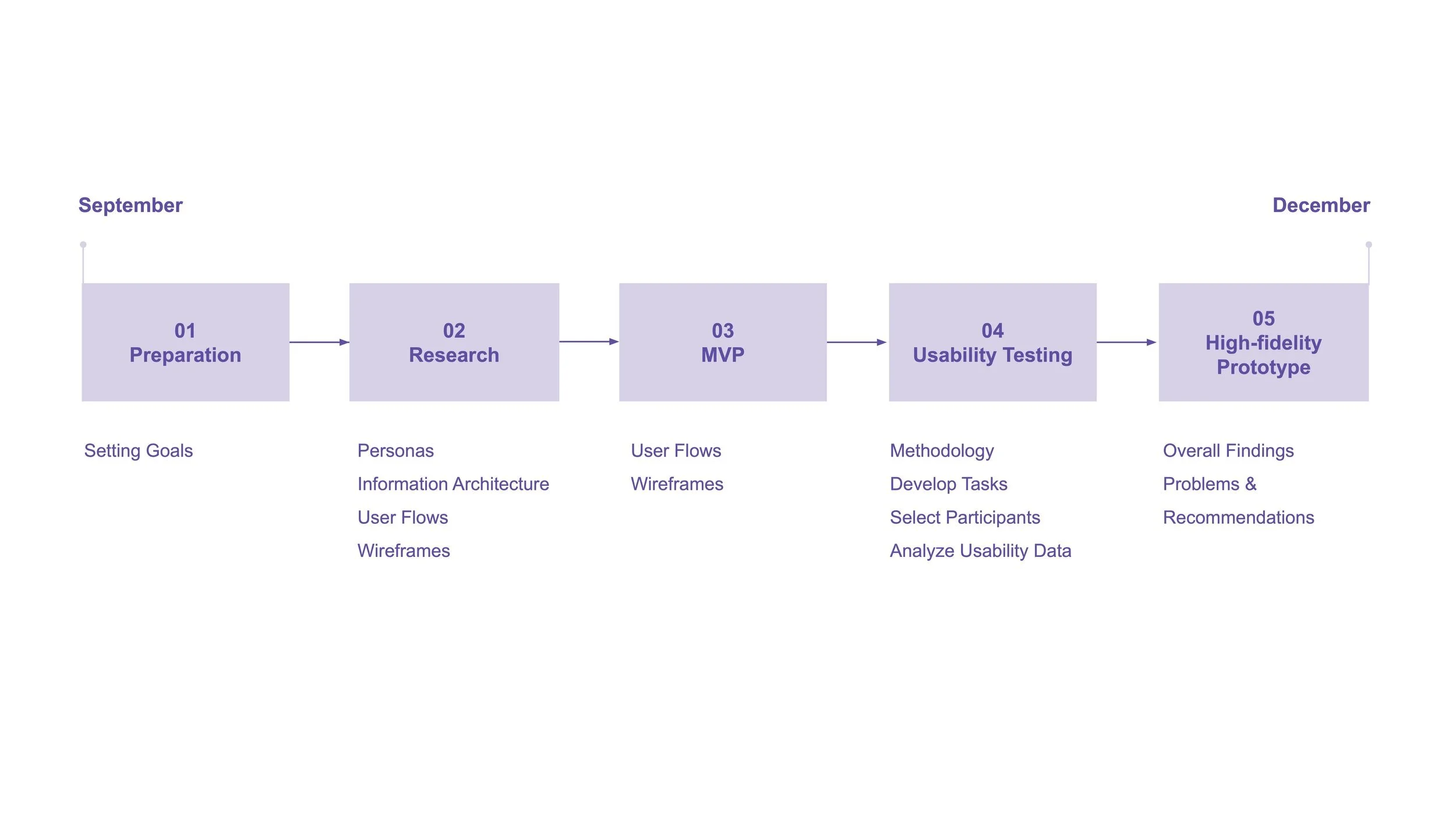
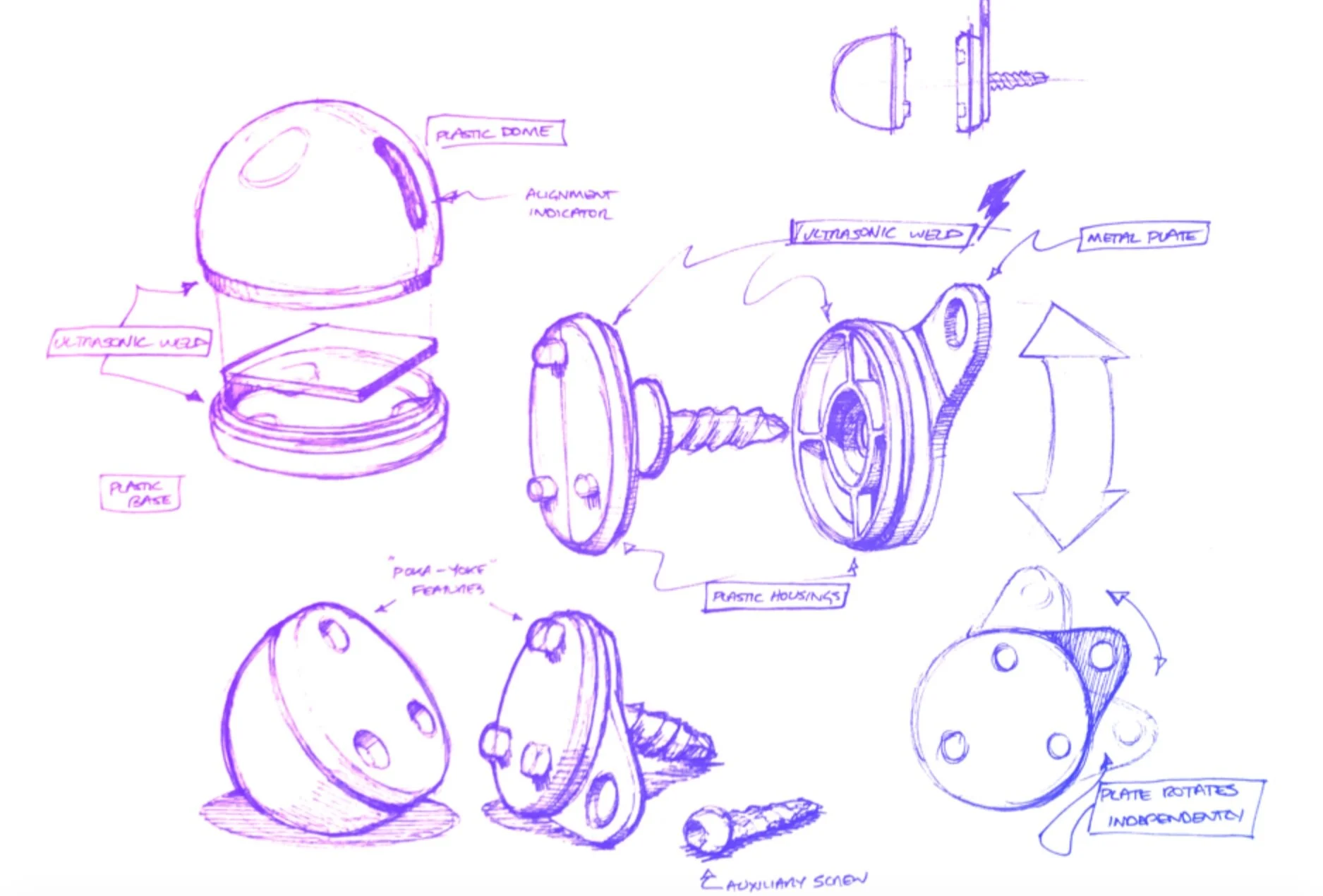
Photo credit: CAIRA Surgical
01.
Preparation
SETTING GOALS
In the kickoff meeting, CAIRA shared with us previous versions of their prototypes along with one round of usability test recordings. Our client revealed the primary challenge is their user flow and prototype is only 20% complete. They also found their current system to be unappealing.
With the client’s challenge in mind, our team framed our goal as: to design a polished and cohesive user interface that is simple and easy to use, to build the remaining 80% of workflows and navigation screens, and to improve the overall visual product design.
“We are introducing a technology that is brand new. We want our user interface to reflect that. The core deliverable UX is ease of use, intuitivity, and to not disrupt a surgeon’s workflow but contribute to it.”
02.
Research
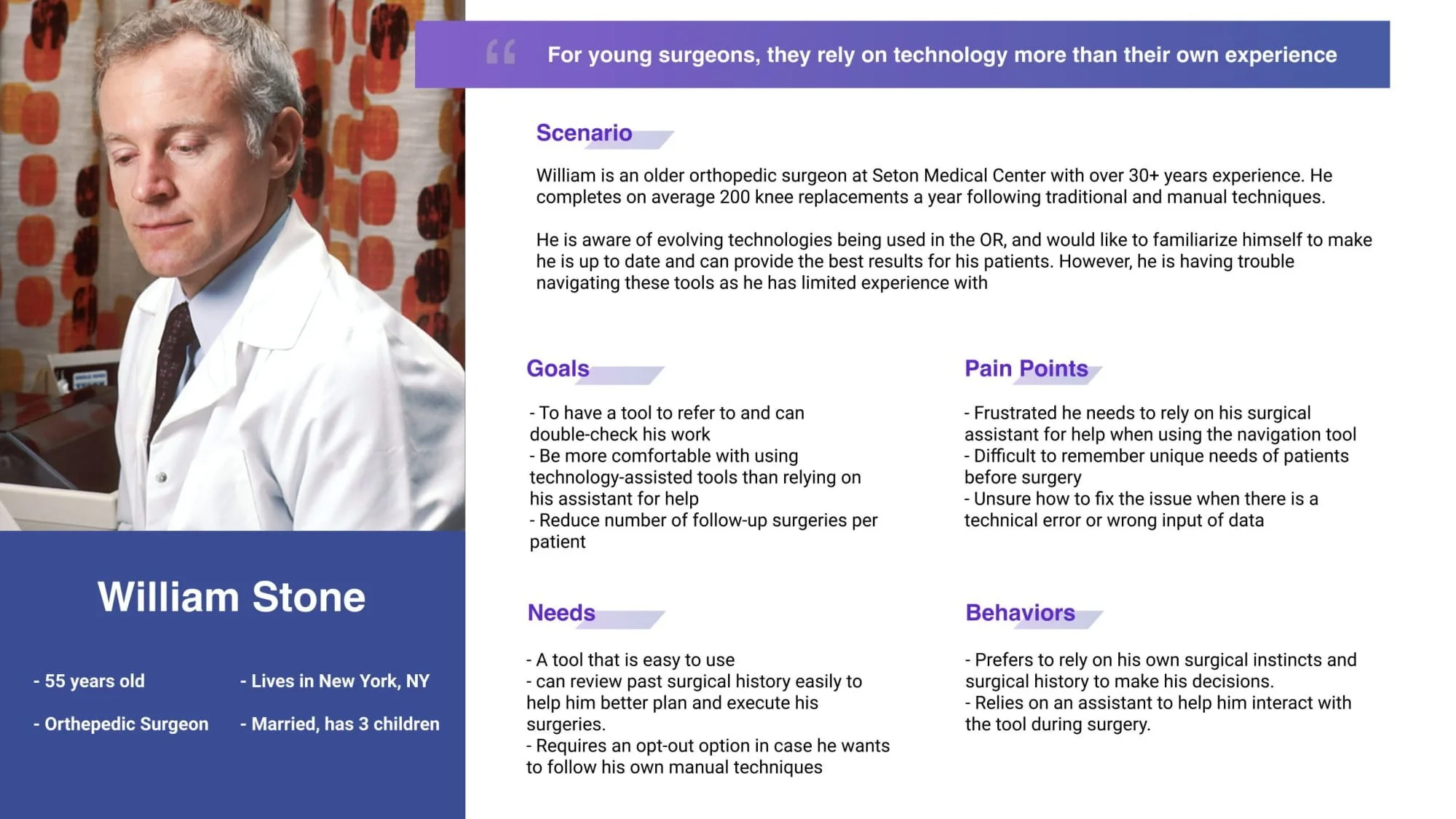
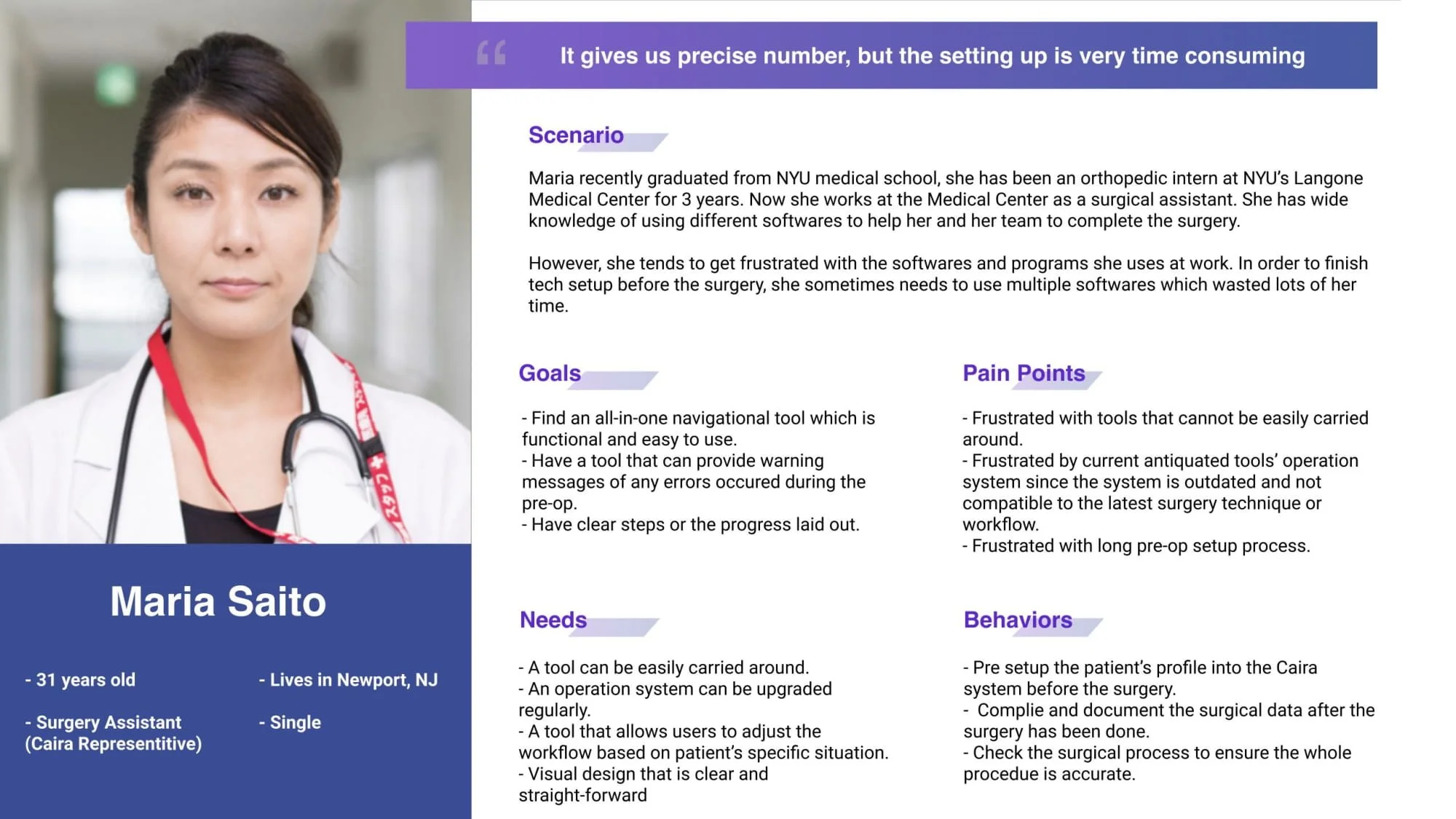
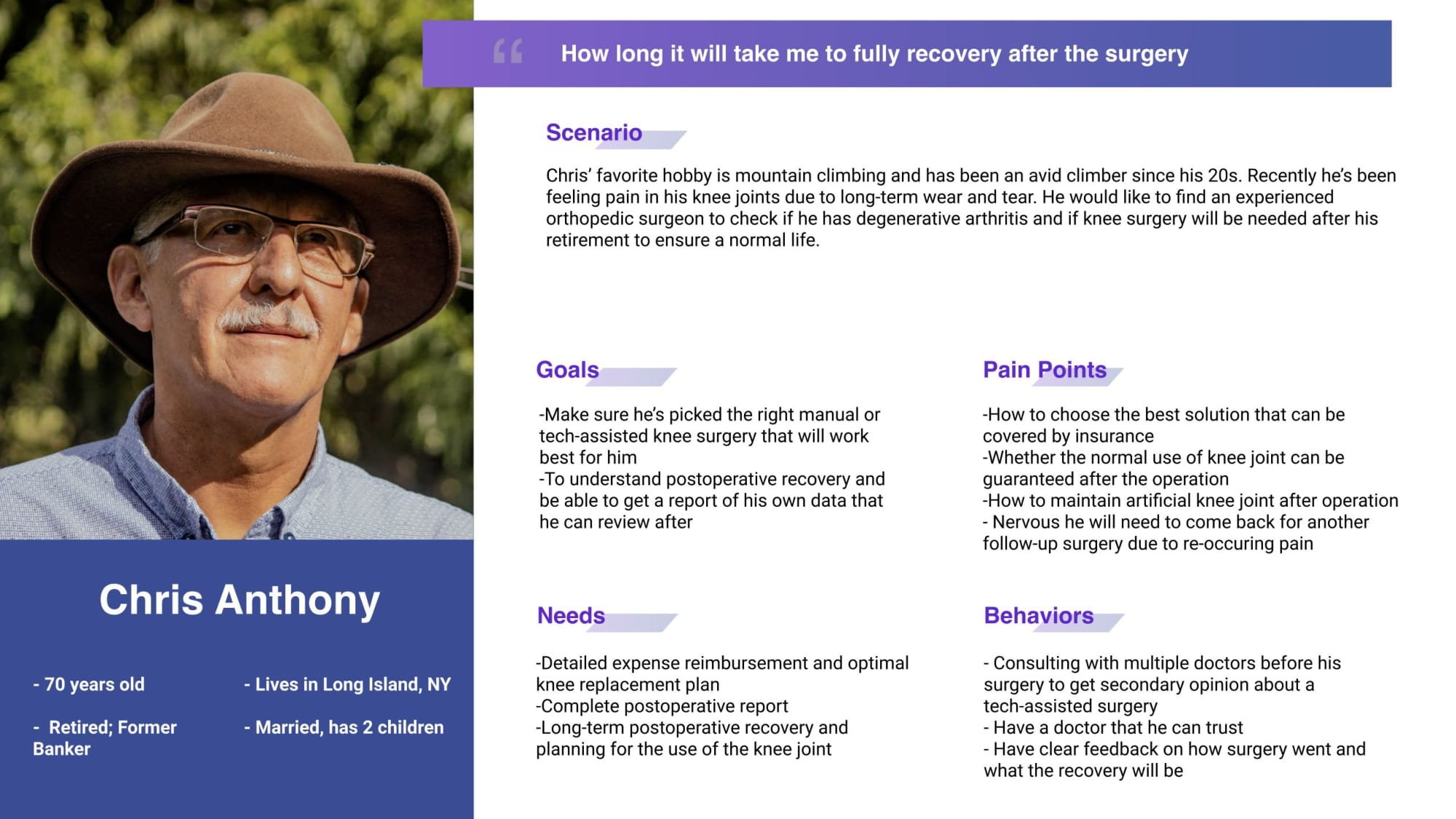
PERSONAS
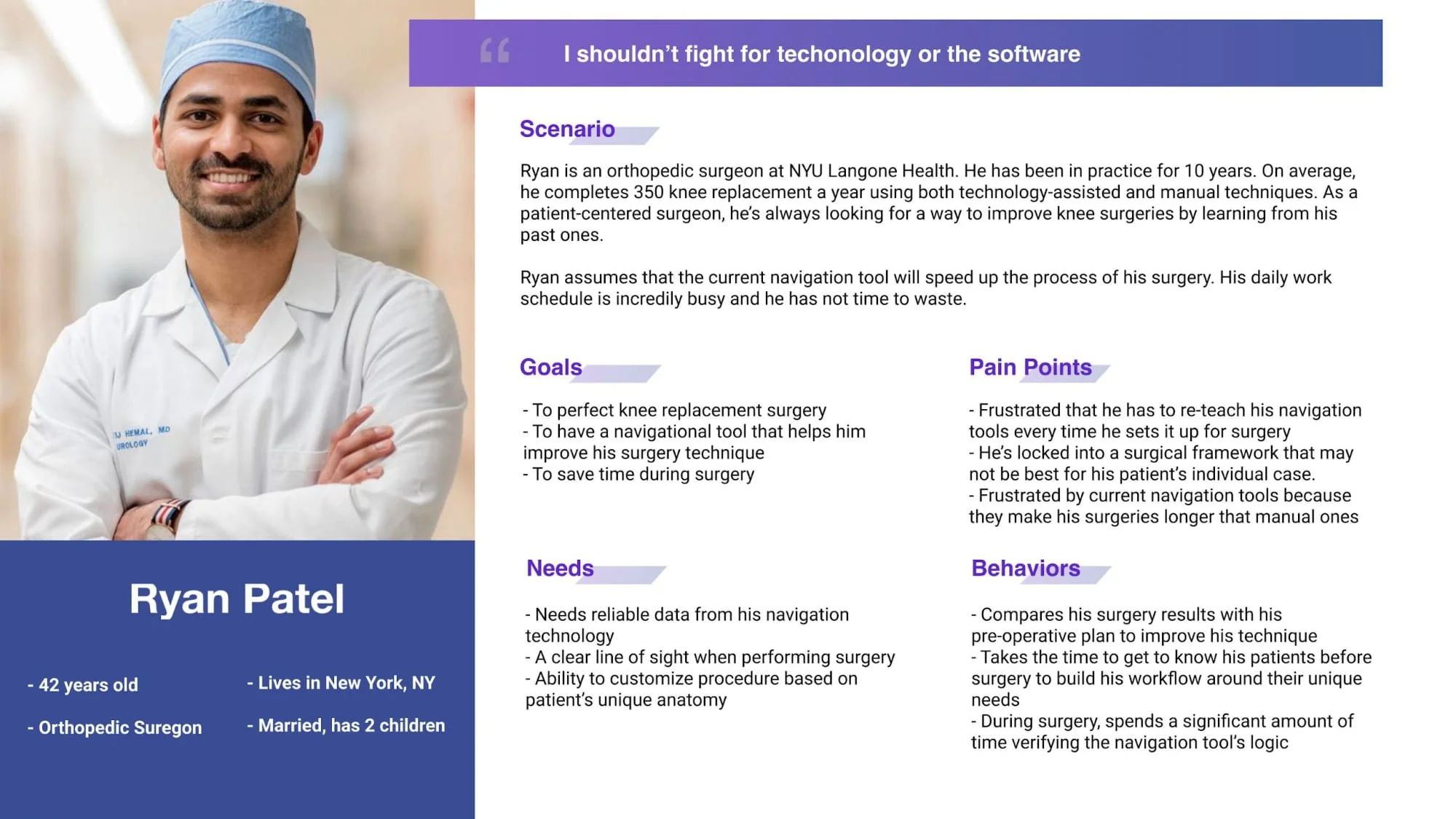
Four user personas were created based on previous research to map out what the interactions with the surgical navigation would be.
Primary Audience:
1. A younger orthopedic surgeon (early 40s)
2. A older orthopedic surgeon (30+ years experience)
Secondary Audience:
3. A surgical assistant or medical tech representative
4. A patient receiving knee surgery
INFORMATION ARCHITECTURE
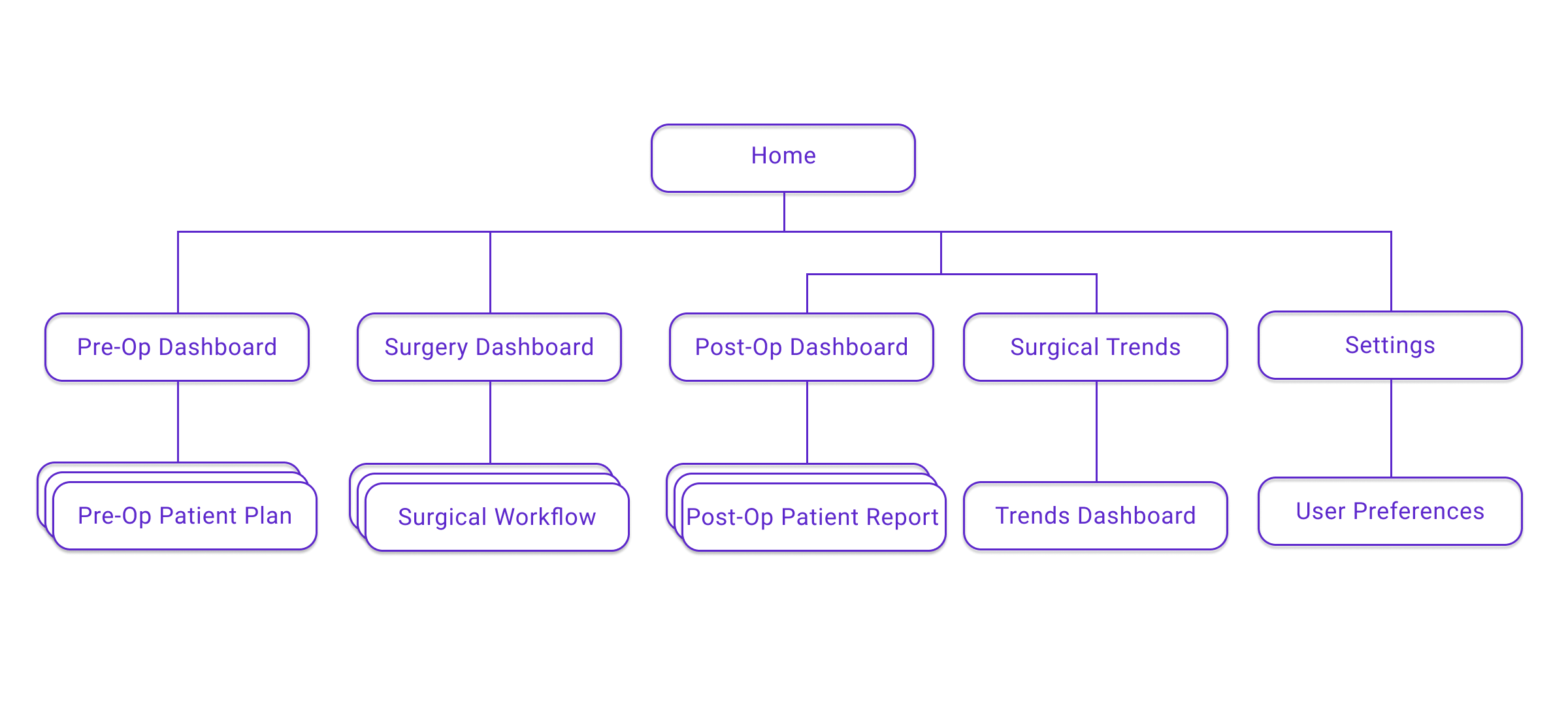
We continued to review past iterations of the product which allowed our team to refine the information architecture and build out the rest of the site map.
Site Map
03.
MVP
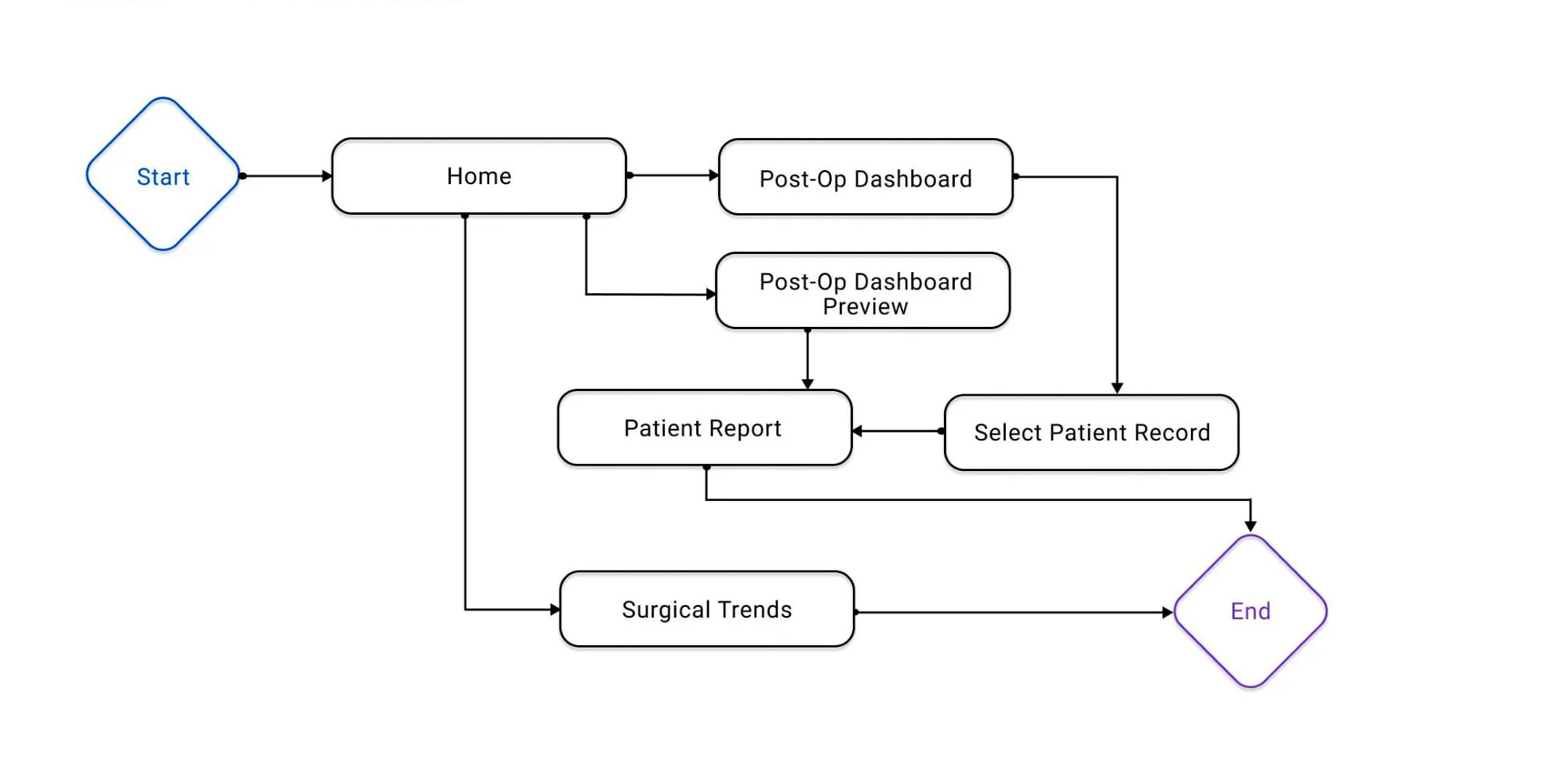
USER FLOWS
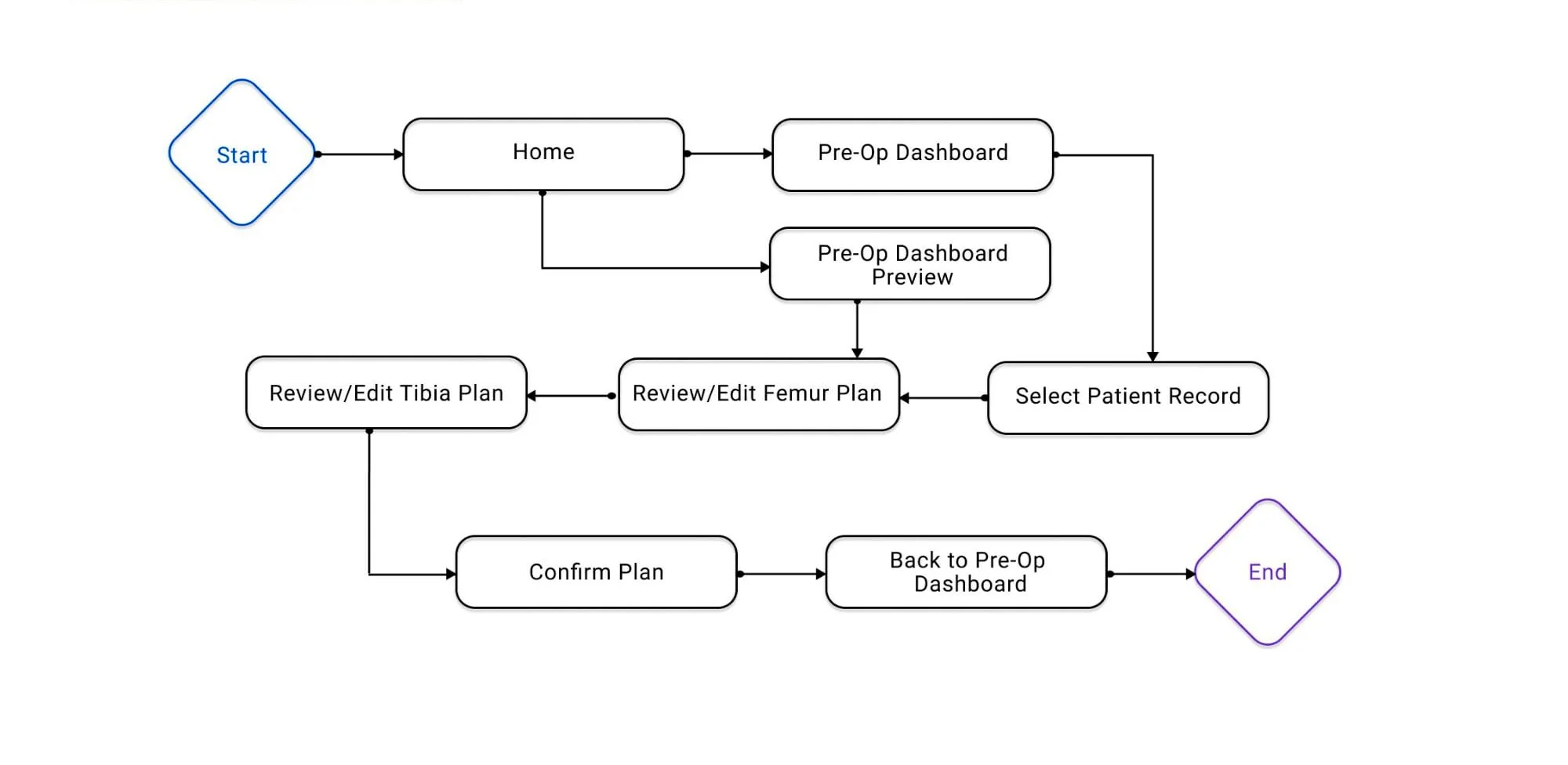
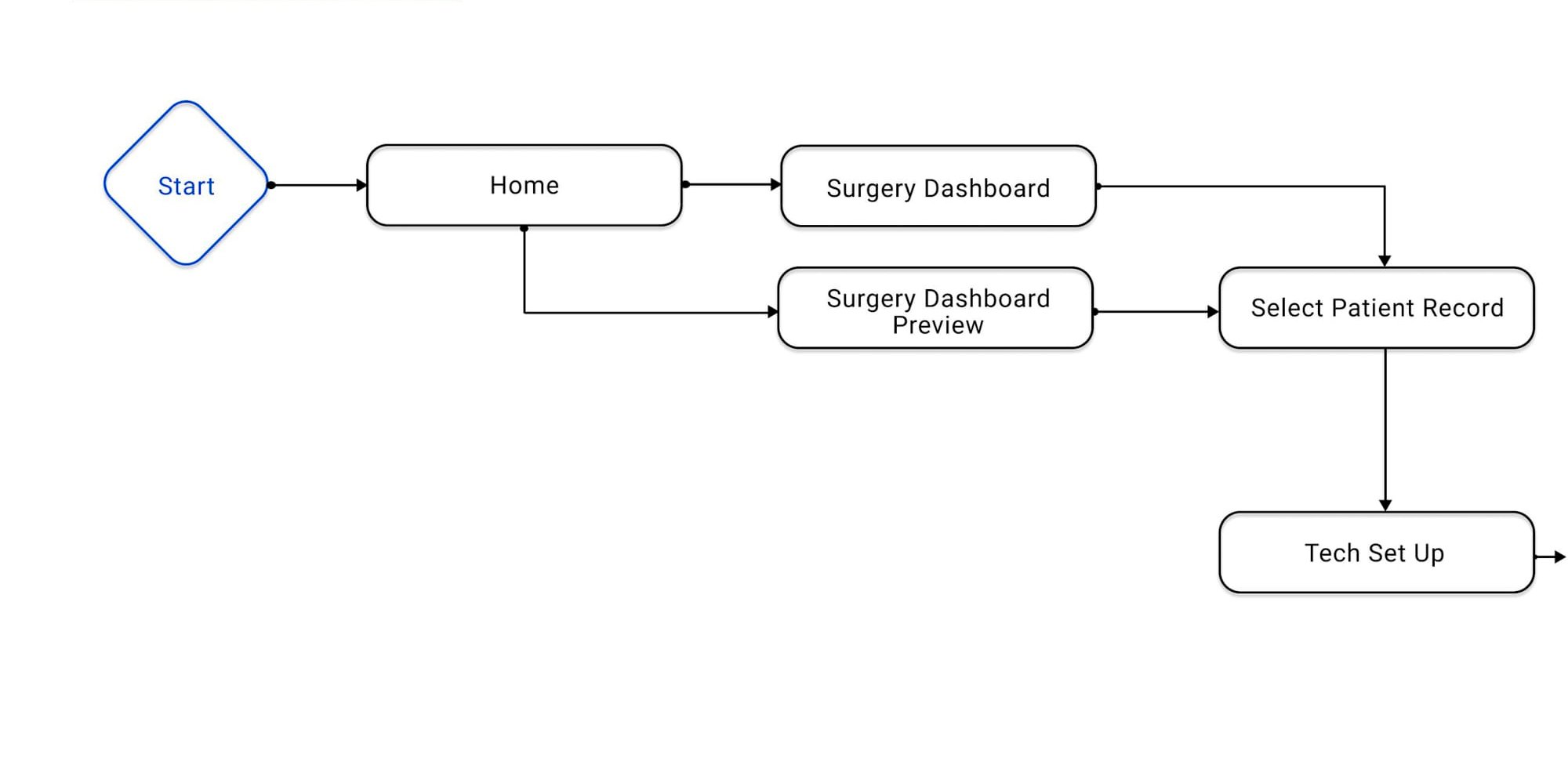
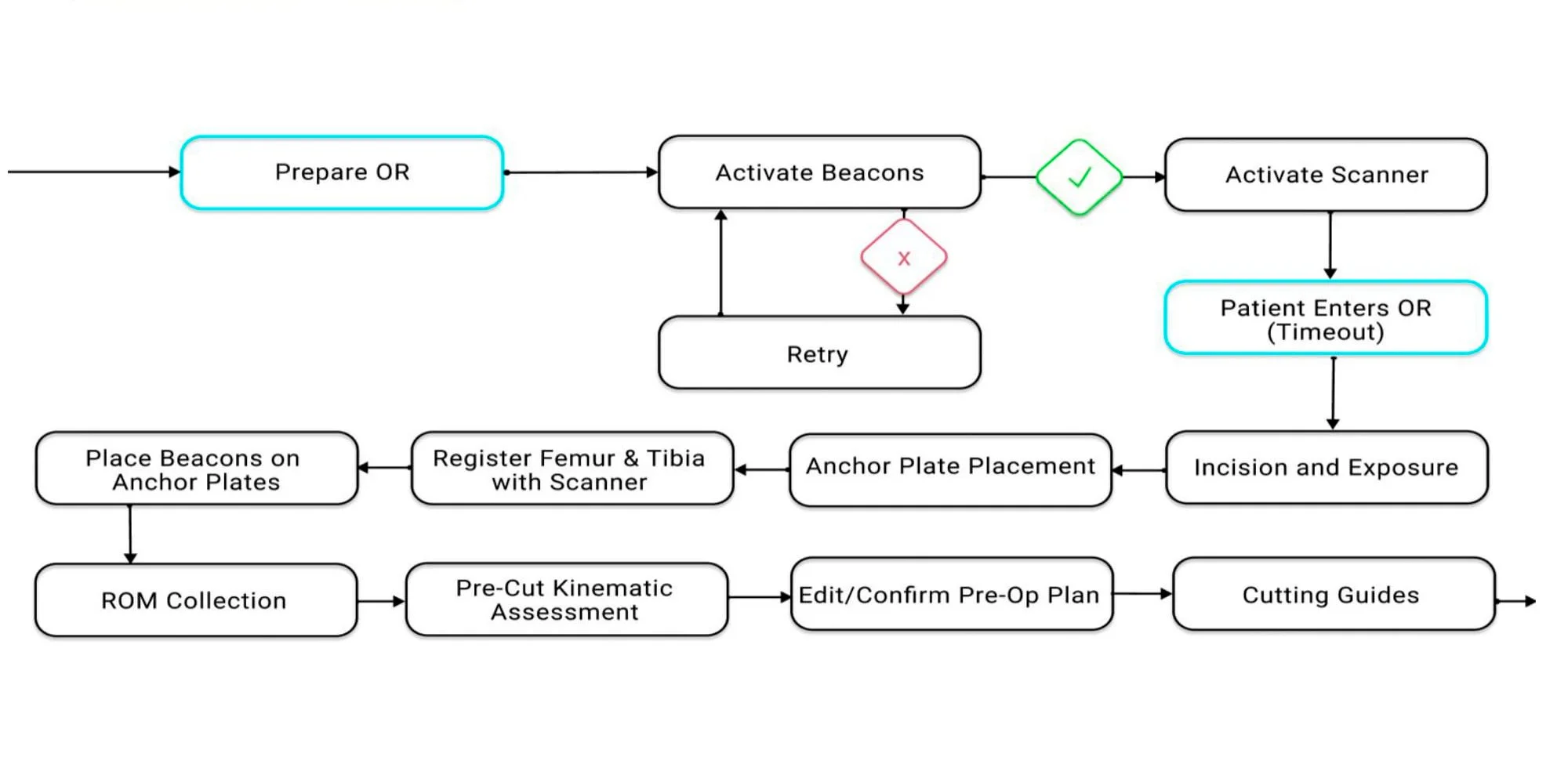
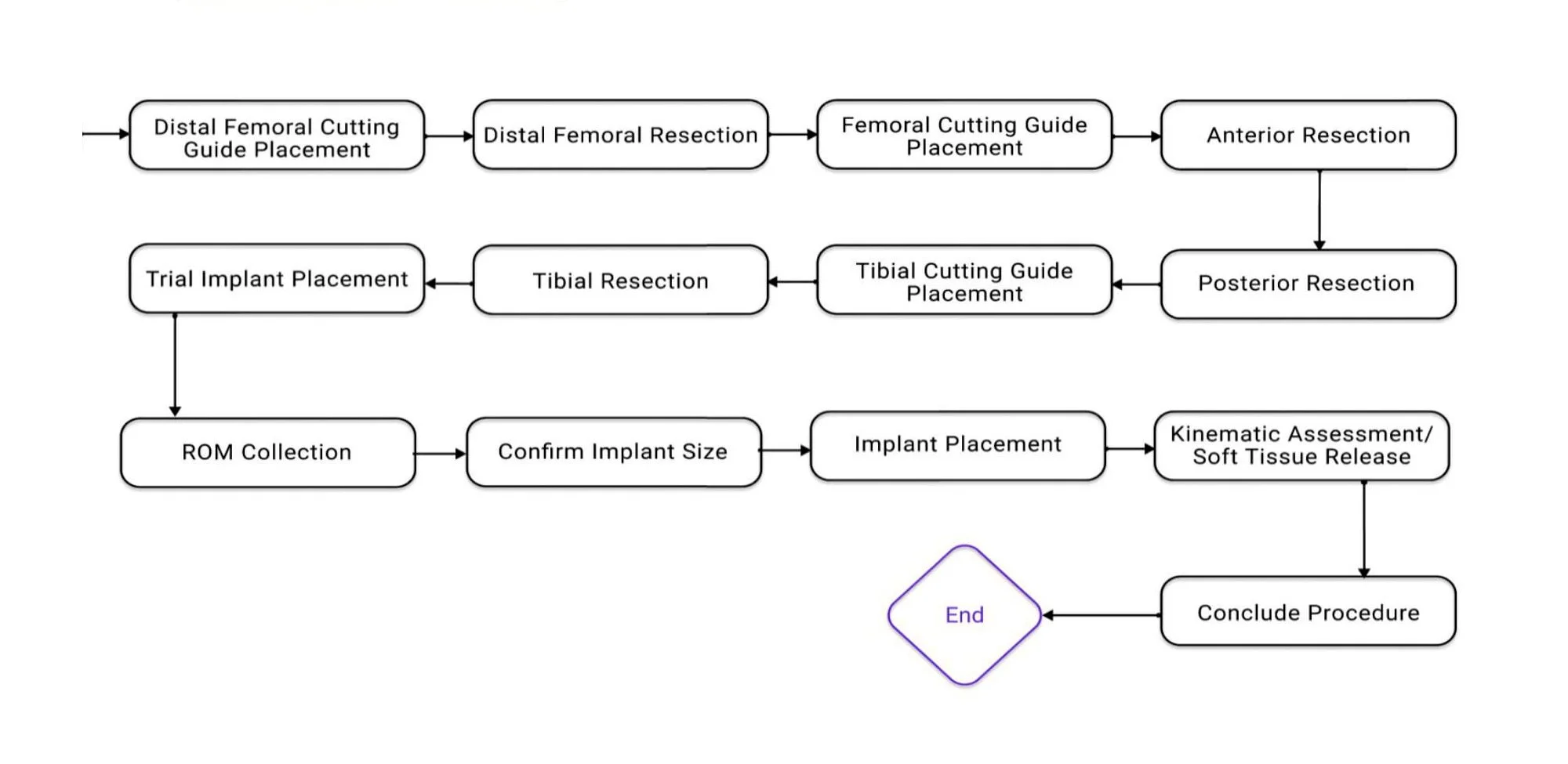
Our next step was creating user flows from beginning to end of knee replacement surgery, starting from pre-operative planning, technology set-up, surgery, to post-operative analysis.
WIREFRAMES
With our four user flows, we began to build our wireframes and present a minimum viable product (MVP) for or client to test out. The feedback received allowed us to revise our user flows and MVP so we could move on to the next step of usability testing.
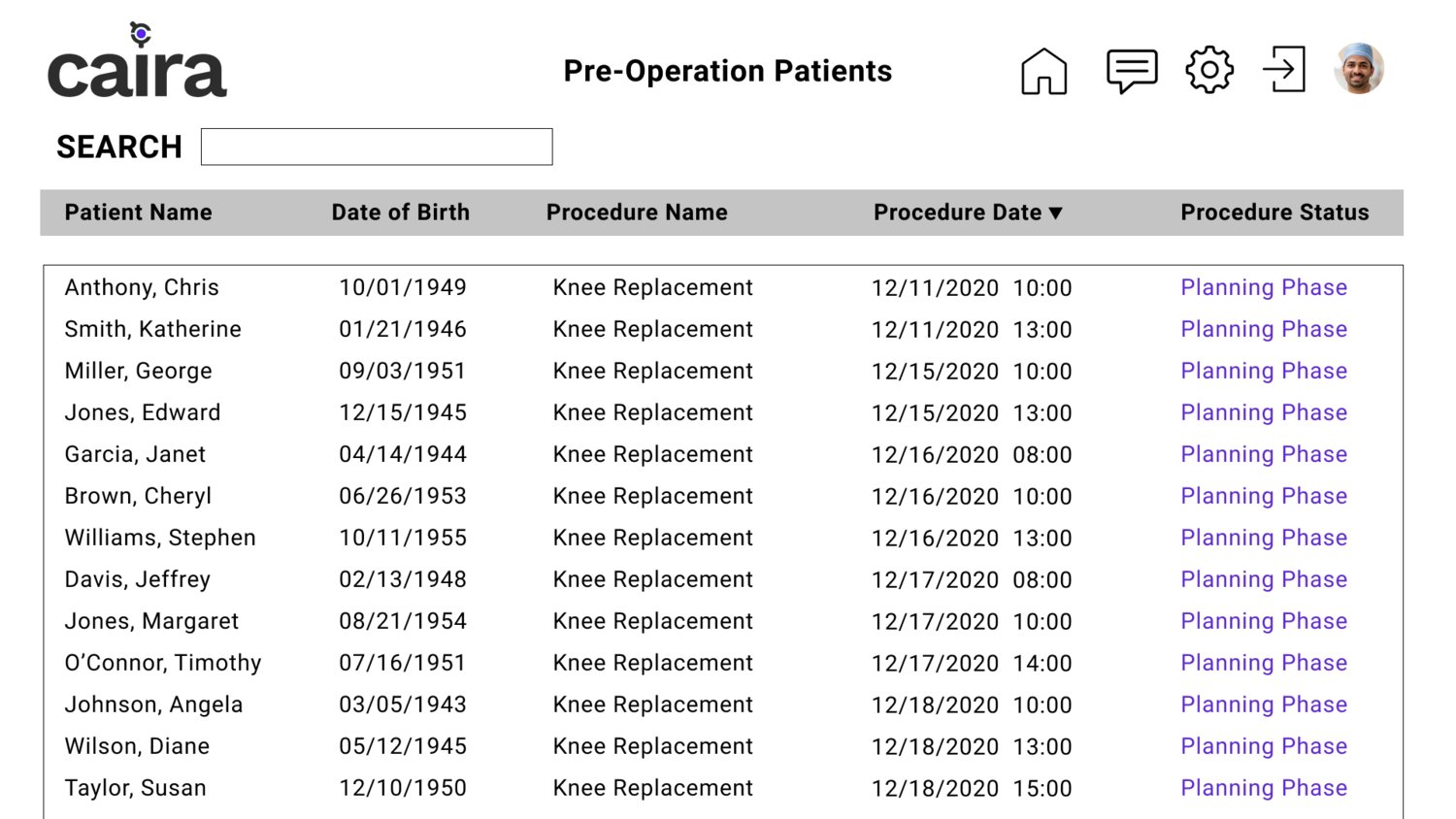
Sample Pre-Op Tablet Dashboard
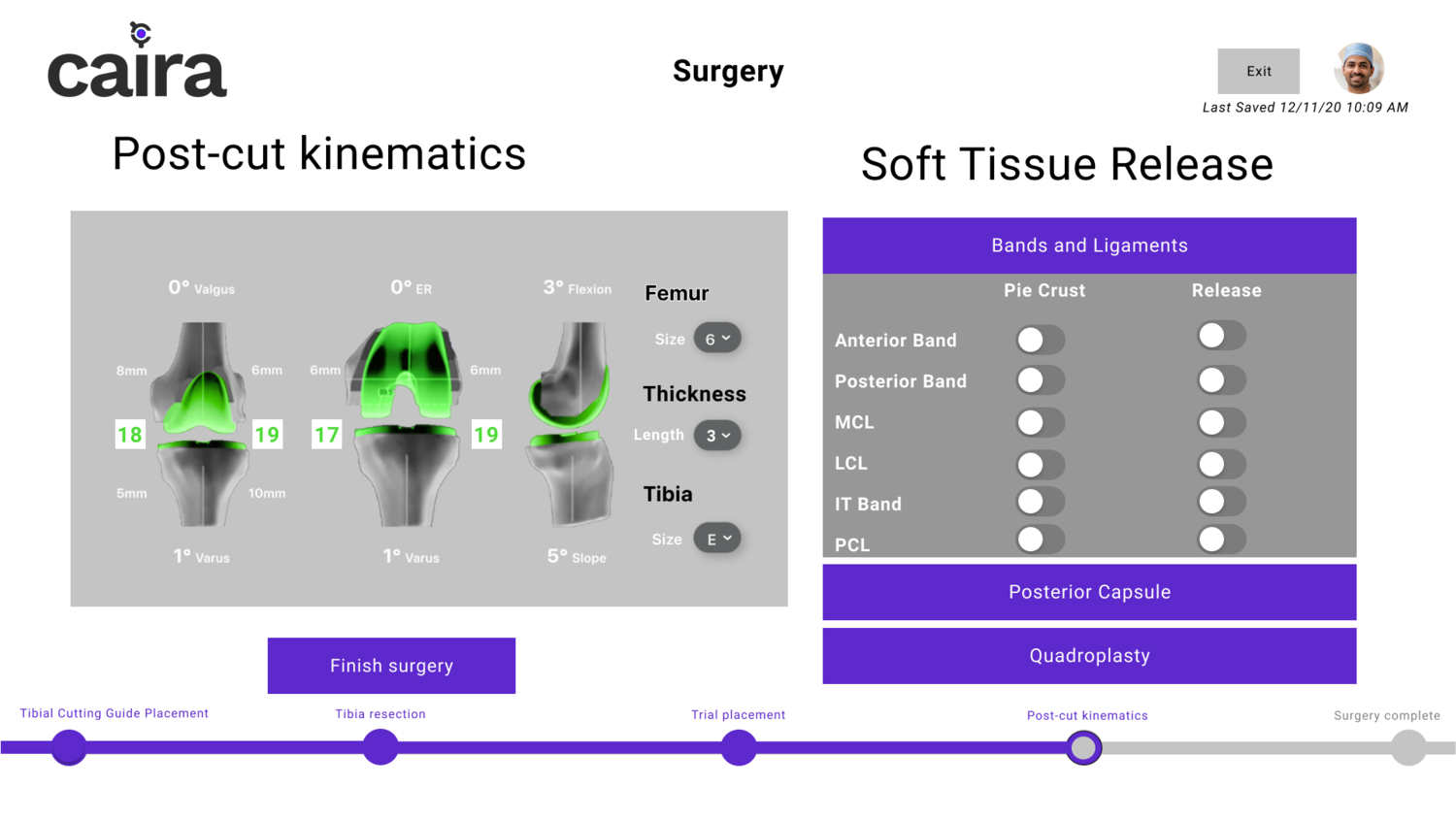
Sample Surgery Tablet Screen
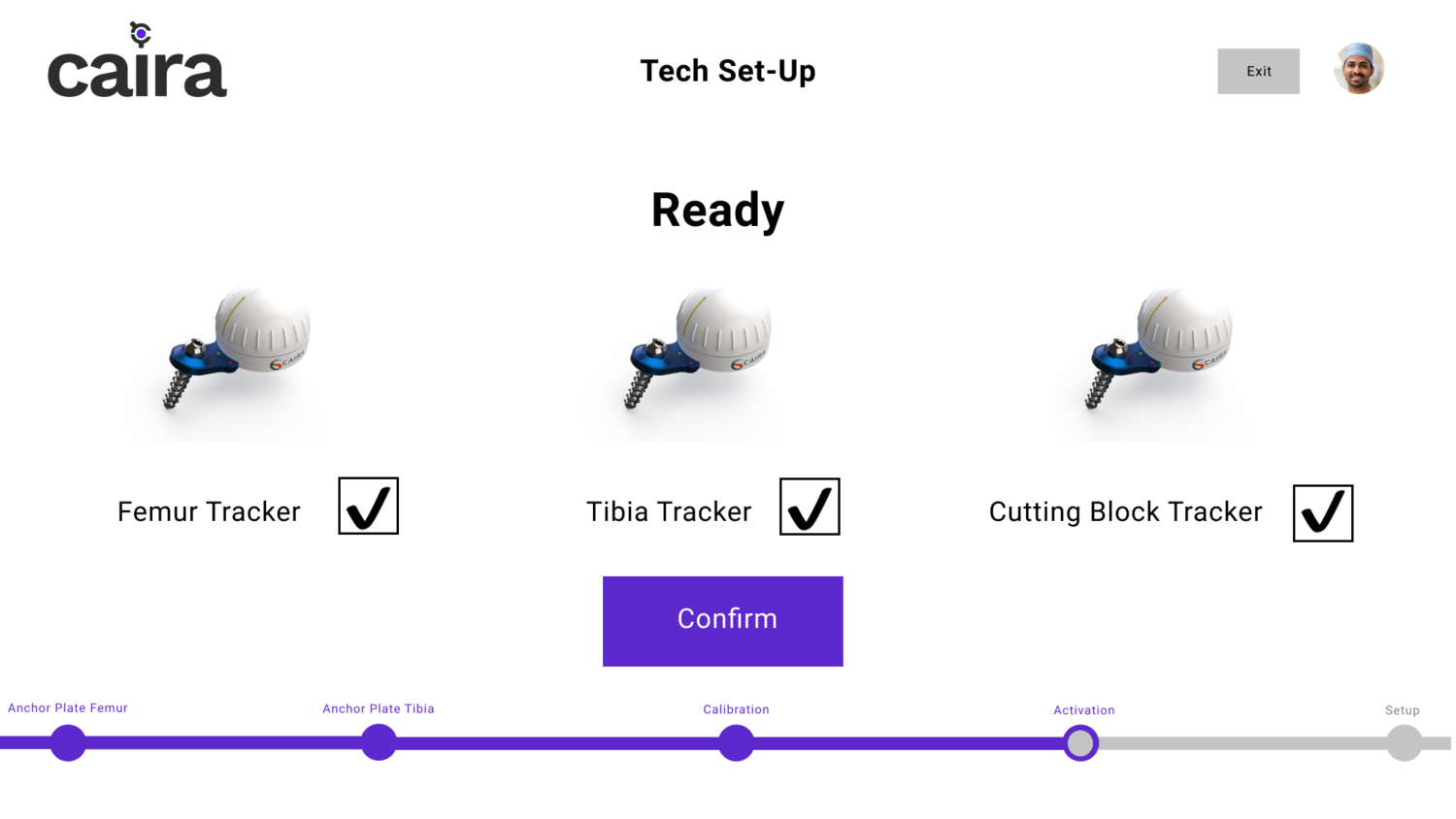
Sample Tech Setup Tablet Screen
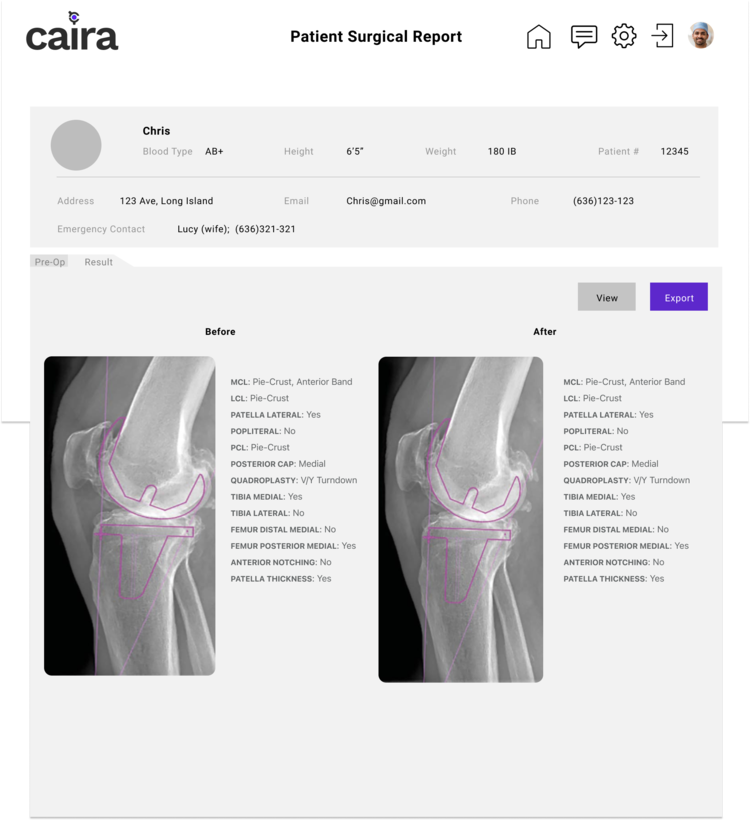
Sample Post-Op Desktop Screen
04.
Usability Testing
METHODOLOGY
Our team utilized the Moderated Remote User Testing method, which involves users and facilitators in the same “virtual” space while the facilitator moderates the entire testing session.
Here is a summary of our user tests:
2 Moderated Remote User Tests were conducted on Zoom with 2 surgeons from the surgical board
Each session took an hour and involved at least 2 Pratt team members moderating and note-taking
Qualitative insights were collected from the think-aloud method, pre-test, post-task, and post-test questions
Results and feedback were anonymized as much as possible
DEVELOP TASKS
Five tasks were developed targeting the different phases and contexts a surgeon would find themselves using the navigation system:
1.
Target: Pre-operative planning (Desktop in Office)
“You are in your office and you want to make a pre-op plan for a patient named [patient name]. What would you do next with the application?”
2.
Target: Tech Setup (Tablet in Operating Room)
“It is the day after you have created a pre-op plan for [patient’s name] knee replacement surgery. The surgical team is in the operating room and I will act as a surgical assistant for the hardware setup for the system. I will walk through the steps that take place before the surgery begins.”
3.
Target: Surgery (Tablet in Operating Room)
“After the OR has been prepped and the hardware has been set up, the patient is brought into the operating room and you are ready to begin the surgery. What will you do to complete the surgery?”
4.
Target: Post-Operative (Tablet in Operating Room)
“It’s the day after surgery and you want to begin [patient’s name] post-op care. How do you access the surgical report?”
5.
Target: Post-Operative (Tablet in Operating Room)
“You want to see how effective this new process is compared to what you were using before How will you proceed?”
SELECT PARTICIPANTS
Our client helped us select participants from the surgical board. Initially we had three tests to conduct. However, one participant dropped due to last minute cancellations. Here is a summary of our participants:
Gender
Years of Surgical Experience
ANALYZE USABILITY DATA
A consolidated list of usability problems were created based on participants’ feedback. Each problem was color coded according to whether the participant succeeded or failed the task which allowed us to prioritize the most critical problems and provide feasible recommendations.
05.
High-Fidelity Prototype
OVERALL FINDINGS
Overall, both participants were impressed by the data readouts, longitudinal treatment of patients, and the tool’s ability to provide real-time and immediate feedback that is missing from other navigation systems. They also found the tool to be cool, interesting, and easy to use.
However, our participants also experienced the following pain points in the pre-op planning and surgery phase. Their insights allowed us to understand the problems and which usability heuristic they violate so we can make the appropriate improvements to our high-fidelity prototype.
“It’s a fairly easy system to navigate but offers very complex and powerful tools for performing a procedure.”
PROBLEMS & RECOMMENDATIONS
Problem #1: Range of motion test needs to be done before and after surgery
Recommendation: Adding another range of motion test and updating our user flow
Heuristic Violation:
Match between System and Real World
An additional range of motion test needs to be added before the trials to help guide the cuts. This ended up being a mismatch between the system and real world, as the information didn’t feel natural or in a logical order for the surgeons.
“What is the purpose of putting on your trials and then stressing it? It’s one thing I’m not confused about, but different from what I’ve seen before.”
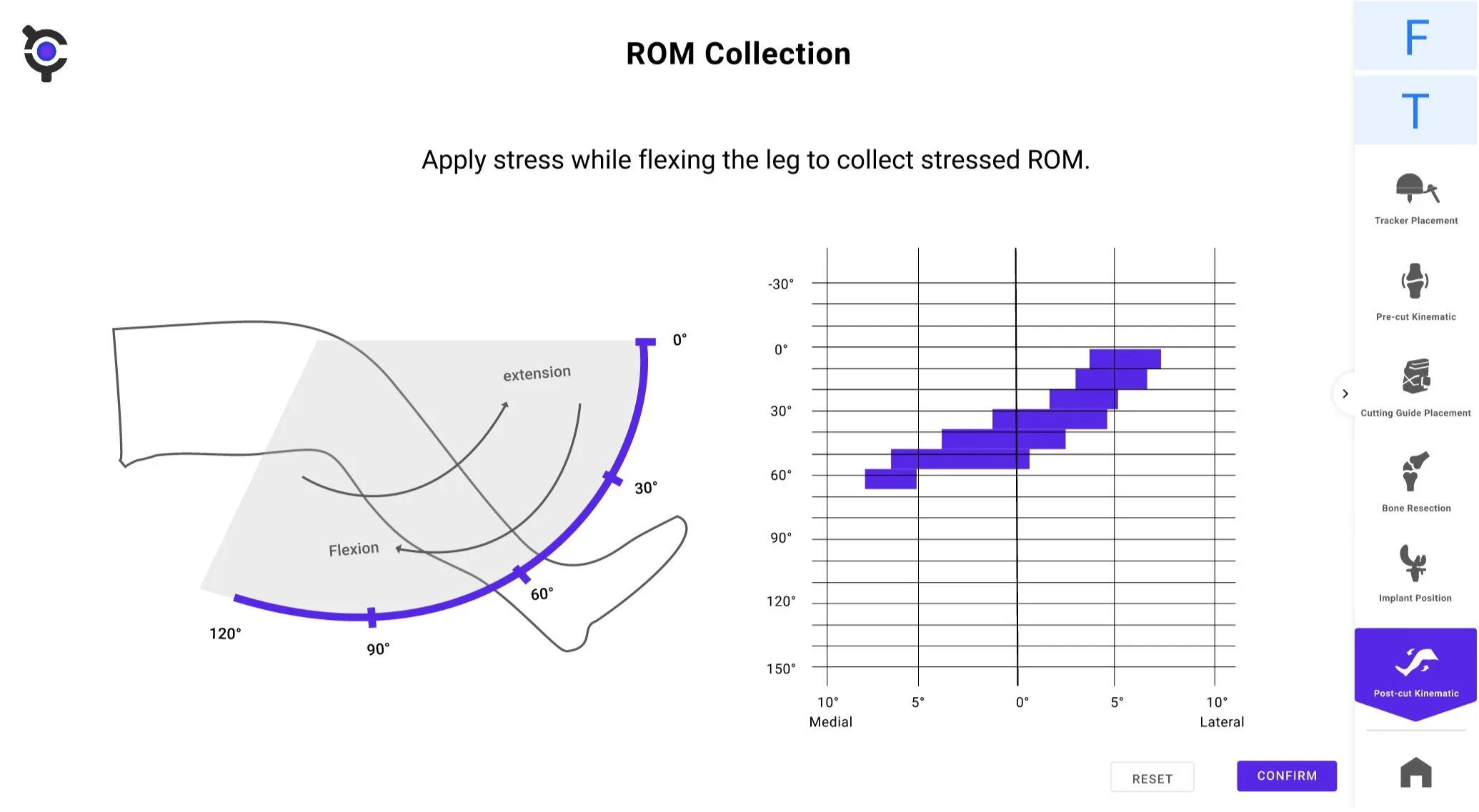
Range of motion screen
Problem #2: Size controls for implants should operate like the others
Recommendation: Change implant size’s toggle to +/-
Heuristic Violation:
User Control and Freedom
The size controls for implants should have a +/- toggle than a dropdown menu so more control and freedom can be given to the surgeon if they want to change the implant size.
“Usually, most implants have a +/- size to go up and down a size. I would add one here instead.”
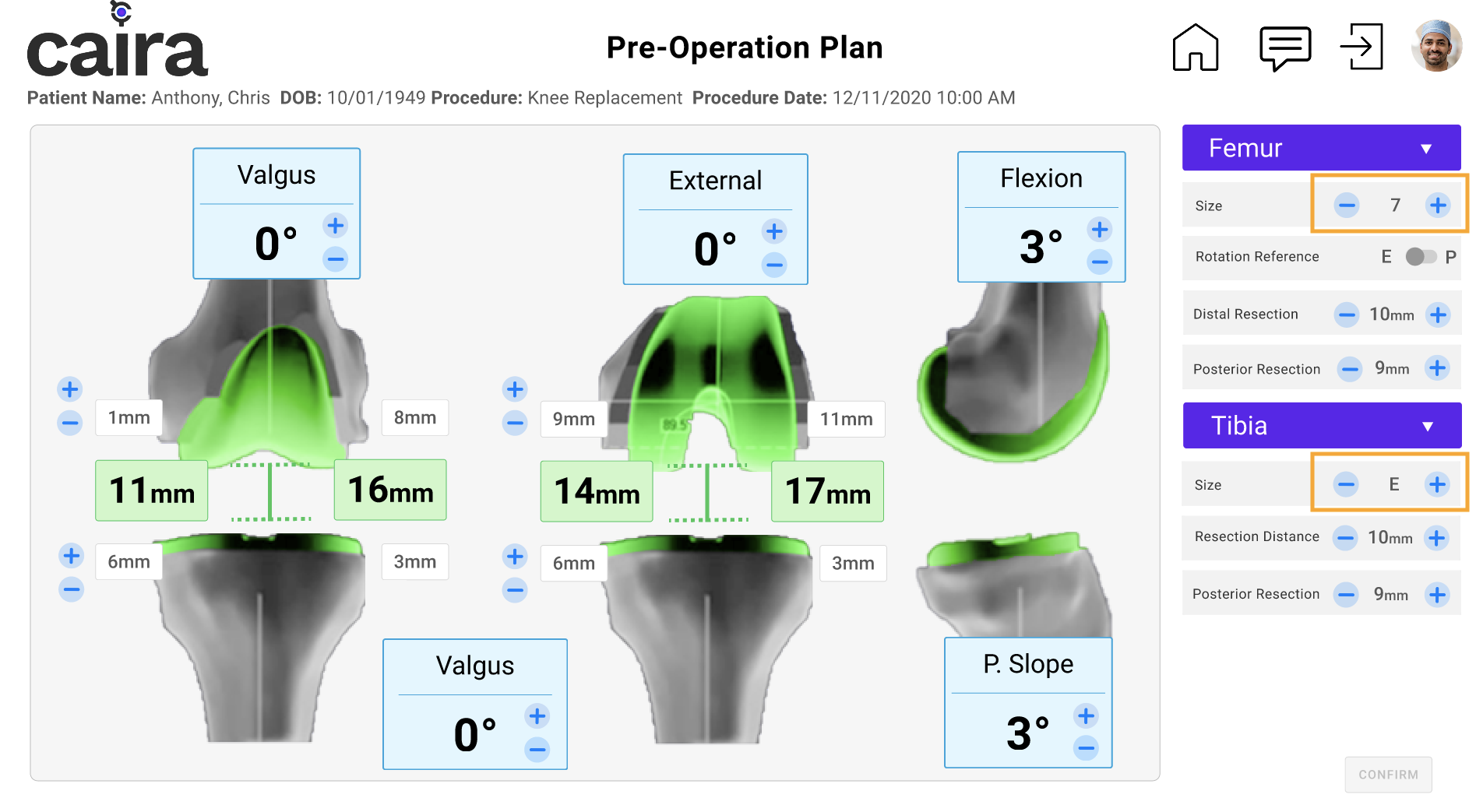
New pre-op planning screen with +/- toggles for implant size
Problem #3: More specific labels are needed for rotation reference
Recommendation: Change the rotation reference toggle to epicondylar axis/posterior axis
Heuristic Violation:
Consistency and Standards
The rotation reference toggle needs to be consistent with other systems. This means switching the on/off toggle to epicondylar axis/posterior axis.
“Rotation reference is epicondylar axis or posterior axis, rather than on or off. We should be able to see the cut model and uncut model, with and without the implant.”
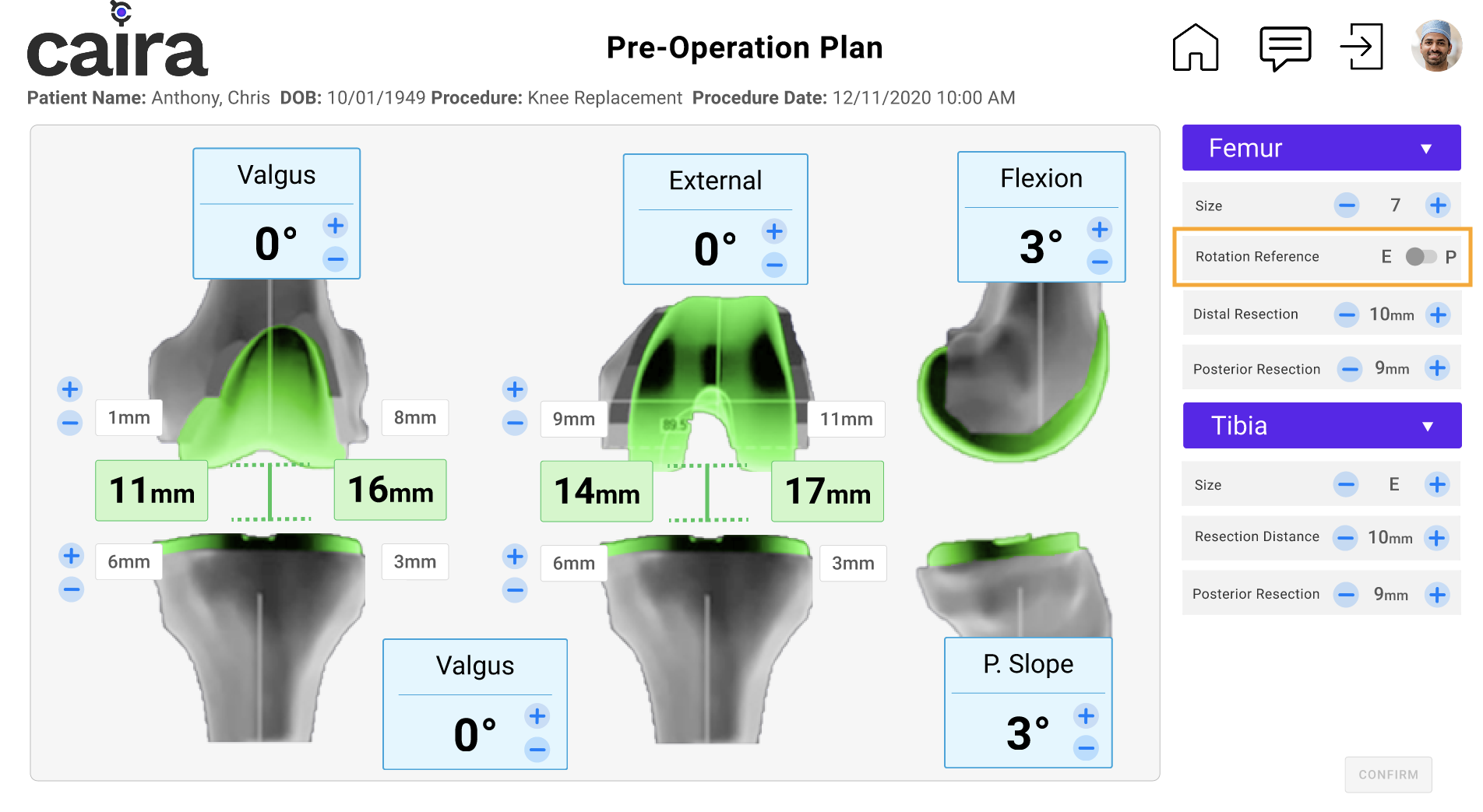
New pre-op planning screen with on/off toggles for rotation reference
Problem #4: Keep femur & tibia menus open in pre-op phase
Recommendation: Have femur and tibia menus open by default
Heuristic Violation:
Recognition rather than Recall
The femur and tibia drop-down menus should always appear open on the pre-operative planning screen. This way, surgeons don’t have to memorize all the options available and can collapse the menus when they need to.
“For the purposes of this software, making it so we can adjust any way the surgeon wants is important ”
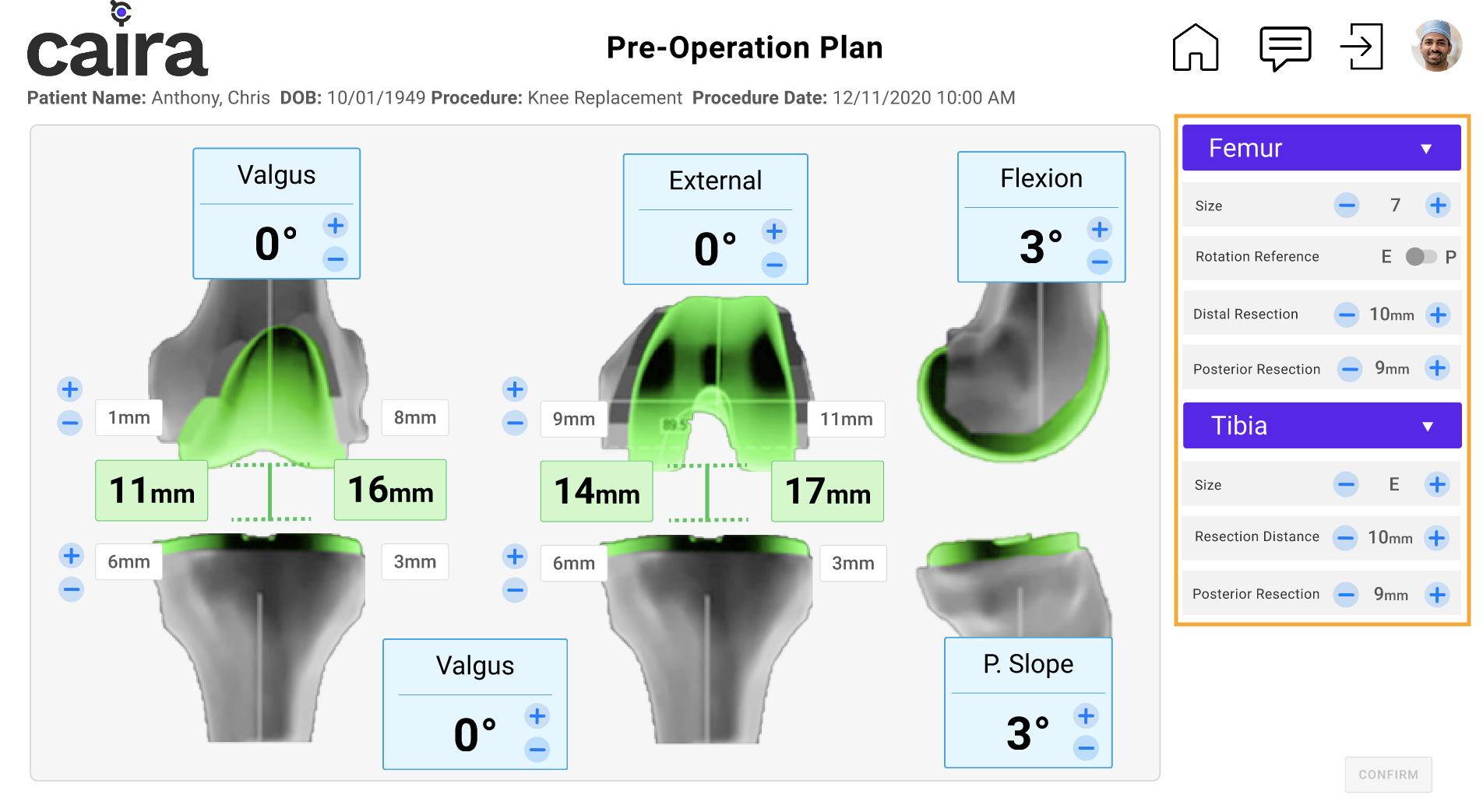
New pre-op planning screen with femur and tibia drop-downs set to default open

Photo credit: ChaNaWiT
CLIENT FEEDBACK
Meeting & Future Considerations
On December 10, 2020, our Pratt team presented our findings to the CEO, CFO, and CMO of CAIRA. They were impressed with our work and asked if we could present again to the rest of their team in the coming week.
CAIRA was most impressed with our completed workflows as they mentioned these are the backbone of their product. They agreed that we have helped complete 80% of their missing workflows and navigation screens, and they feel confident in taking their prototype closer to the development phase.
For future analysis, we recommended CAIRA conduct more in-depth research about what to include for soft-tissue release and what rank order they should be displayed. We felt our findings were more of a personal preference as they were only based on two surgeon’s insights and we didn’t make the changes to our final prototype. Instead, we’d suggest continuing to gather more data from other surgeons in order to build credibility and confidence in the test findings.
“As you said, this is the final 80%. You took the first 20% from the first stage of the project and you refined it into what is a tangible stepping stone to continuing to develop the product.”
REFLECTION
This project was by far the most challenging because of my novice understanding and lack of experience in the medical field. Not only were we responsible for building a whole navigation interface for a complex system were had no knowledge of, but it also required us to learn the correct medical terminologies, review diagrams of the knee, and watch videos of knee replacement surgery to try to comprehend how might a surgeon use this product in the operation room. This experience also showed me the exciting opportunities of working with clients in a completely different field and still be able to deliver a successful product.
DELIVERABLES: